See the muscles behind every exercise
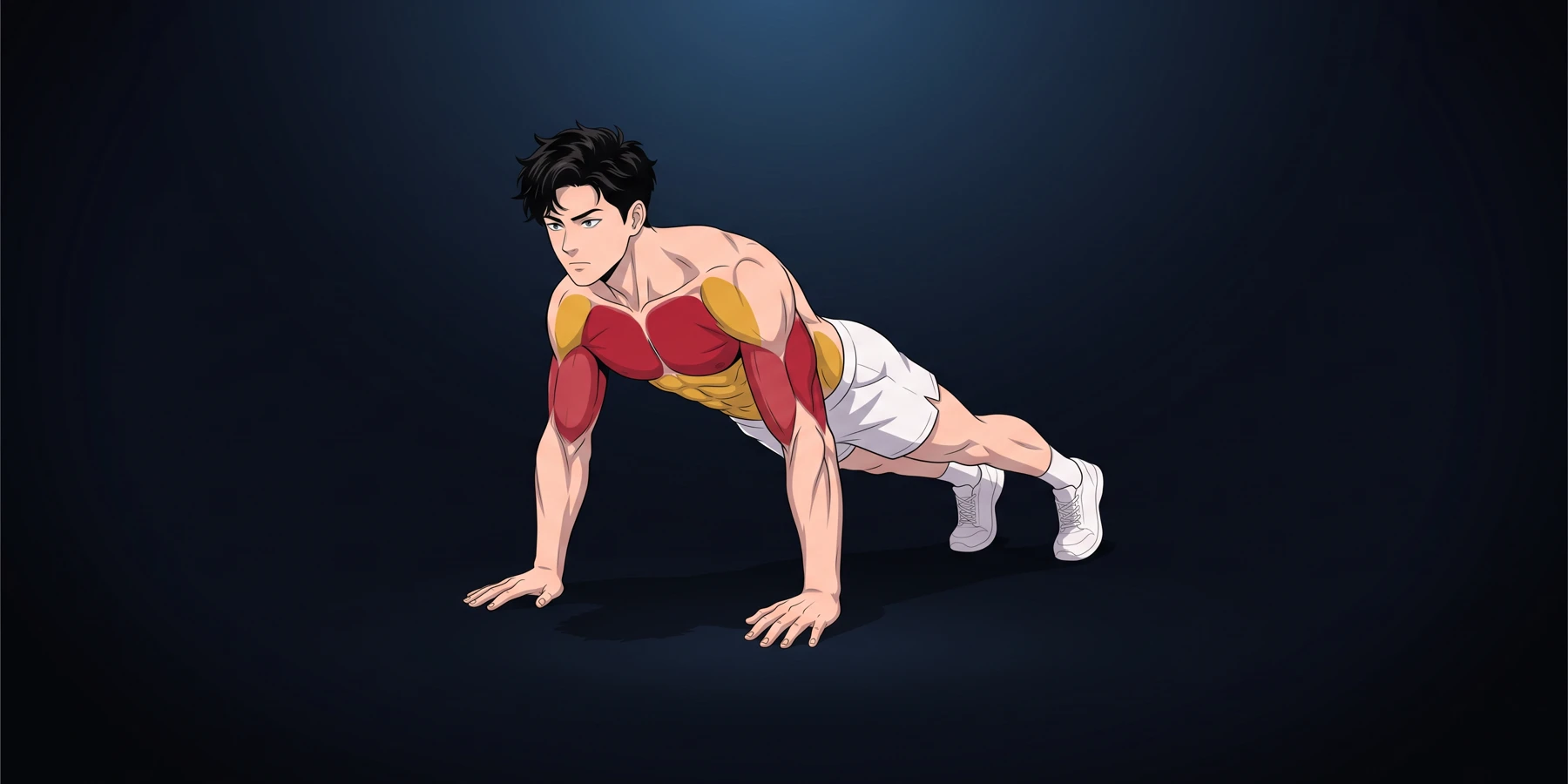
Every exercise now has its own muscle map: see exactly what you are training, from the front and from the back.
What’s new
- Tap the ⓘ button next to an exercise, in a quest or during your workout.
- The Target muscles tab shows the muscles at work, from the front and from the back.
- Main muscles in red, secondary muscles in yellow.
Why it helps to know which muscles are working
Doing an exercise is good. Knowing what it trains is better. When you can see the muscles at work, you position your body better, you feel the right area working and you understand why an exercise is part of your quest.
The muscle map gives you that information at a glance, without leaving your workout.
Reading the map
The map shows your workout character from the front and from the back. Two colors are all you need:
- Red for the main muscles. They do most of the work.
- Yellow for the secondary muscles. They assist the movement or stabilize your body.
Below the map, every muscle is named: lats, hamstrings, front delts… You don't need to know anatomy to find your way around.
When an exercise only works the upper body or only the legs, the map zooms in on that area to make it easier to read. For stretching poses, it shows the muscles engaged and stretched.
A few examples
- Push-ups: chest and triceps in red; front delts, abs and obliques in yellow.
- Squat: quads and glutes in red; hamstrings, adductors, calves and lower back in yellow.
- Pull-ups: lats and biceps in red; rear delts, traps, forearms and abs in yellow.
- Plank: abs in red; obliques, front delts, glutes and quads in yellow.
You will see, for example, that the plank doesn't just work your stomach: your shoulders, glutes and thighs help you hold the position.
How to use it
- In a quest or during your workout, tap the ⓘ button next to an exercise.
- Open the Target muscles tab. The Instructions tab, right next to it, explains how to perform the movement.
- The app remembers the last tab you opened: the next exercise sheet opens straight on it.
The character shown follows the one you picked in the settings, under Workout character.
Tip
Before a set, take a quick look at the map and focus on the muscles in red. If you mostly feel another area working, it is often a sign that your form needs adjusting: that is what the Instructions tab is for.
Open LEVELING, start your next quest and tap ⓘ on the first exercise to see your muscles in action.